Turn your company's acronyms into helpful tooltips!
Eliminate the "what does this mean?" confusion
100% Free
No account required
Works on any site
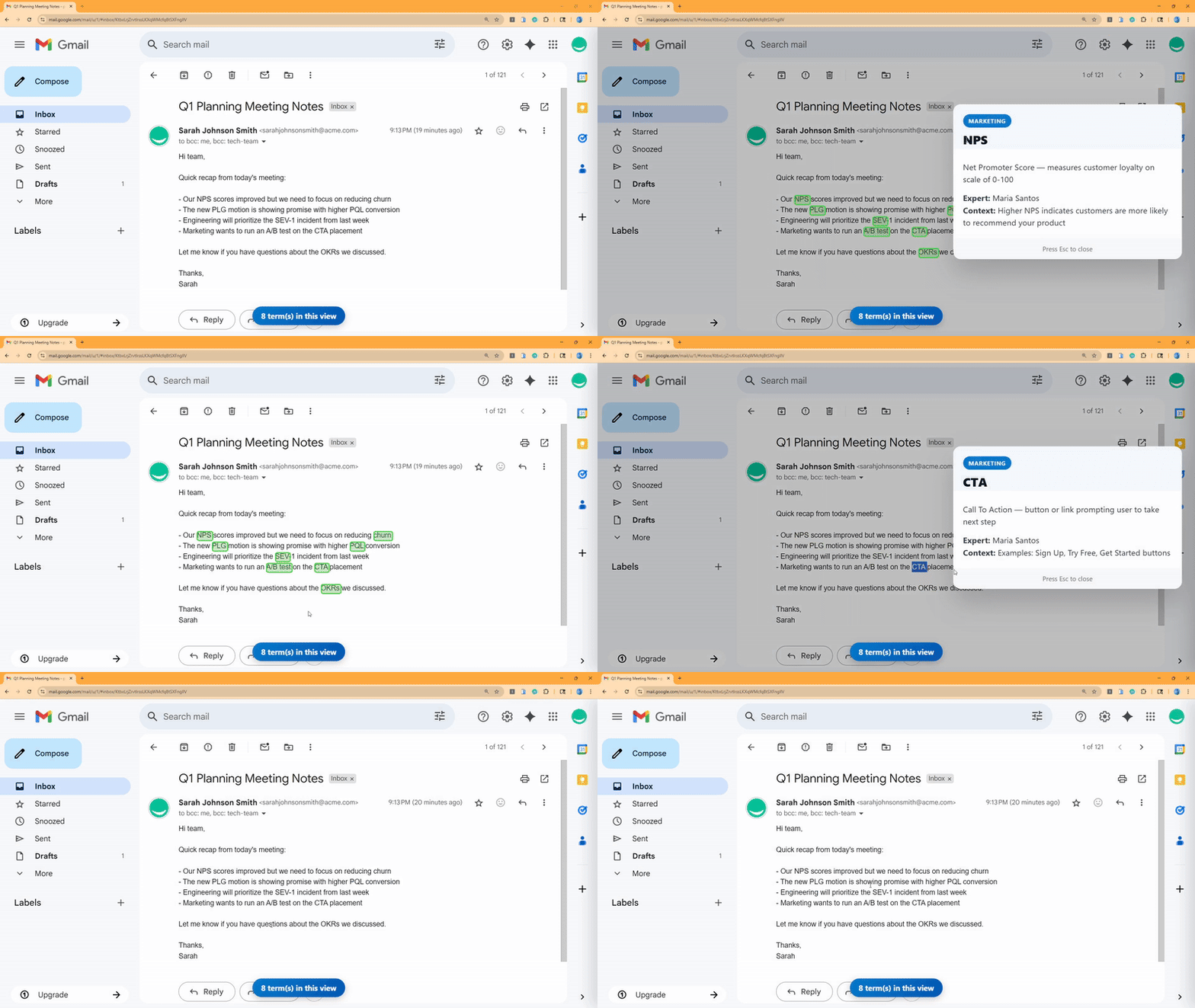
Eliminate the "what does this mean?" confusion
Point to your team's Google Sheet with company terms
See instant tooltips for acronyms across any website
Updates to the sheet automatically refresh in everyone's browser
Hover or select a term to see its definition—no copy/paste or tab hunting.
Works with your existing Google Sheets. No accounts, no data collection.
Email, docs, dashboards—InsiderLingo follows where you work.
Install the extension and connect your Google Sheet glossary in under 2 minutes.
Yes! InsiderLingo is completely free. It works with any Google Sheet you can access—no accounts, no subscriptions, no limits.
Create a Google Sheet with Term and Definition columns, publish it as CSV, then paste the URL in the extension. See our setup guide for details.
Yes—most sites are supported. Some app sandboxes may limit injection, but common work apps work great.
Your glossaries stay in your Google Sheets. The extension works entirely in your browser—no data collection. See Privacy Policy.